
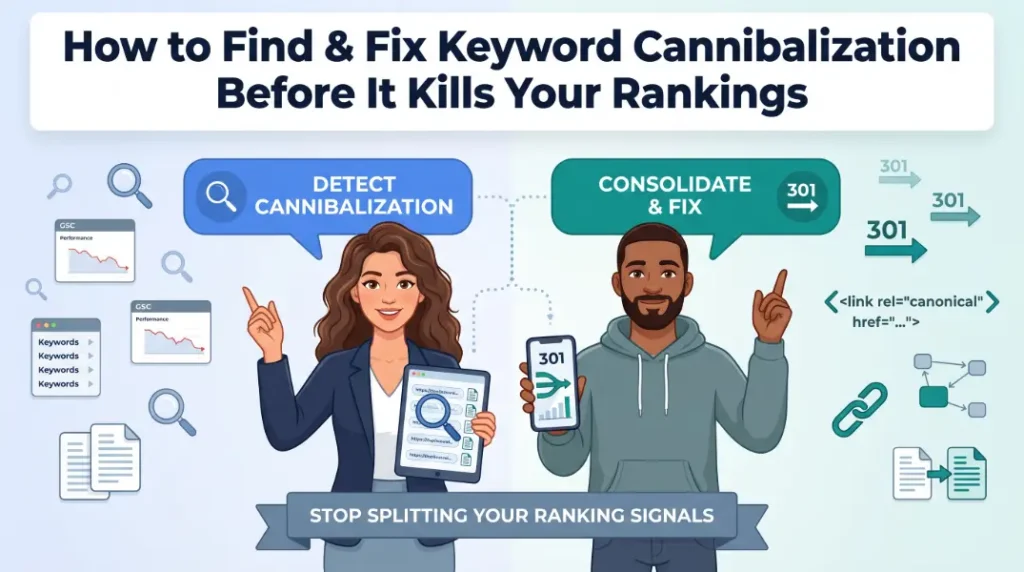
How to Find and Fix Keyword Cannibalization Before It Kills Your Rankings
Yes, when two or more pages on your site target the same keyword and the same search intent, Google gets confused about which one to rank. Instead of picking a winner, it often alternates between them or ranks neither as highly as a single strong page would on its own. The fix is to pick one preferred page and eliminate the competition.
I’ve been cleaning up cannibalization on client sites for over a decade. It’s one of those problems that’s completely invisible until you know what to look for, and then you start seeing it everywhere. Ahrefs data shows roughly 96.55% of all pages get zero organic traffic. A good chunk of those are casualties of cannibalization.
What you’ll need
- Google Search Console to pull query-level data and identify competing URLs
- site: operator in Google Search for a quick sanity check without needing a tool
- Screaming Frog or Sitebulb to audit internal links site-wide after consolidation
- Access to your CMS to update content, meta titles, and internal links
- Time: 30 minutes for diagnosis on a small site; 2-4 hours for a full audit on a larger one
Step 1: How do I find keyword cannibalization on my site?
The fastest way to detect cannibalization is a site: search in Google combined with your target keyword; any time you see 2+ of your own pages in the results, you have a problem.
Open a private browser window (so personalization doesn’t skew results) and search:
site:yourdomain.com “target keyword”
If two or more of your pages appear in the results, Google indexes both as relevant and splits its ranking signals between them. That’s cannibalization.
For a full-site picture, go deeper in Google Search Console:
- Open Performance → Search results
- Set date range to the last 90 days
- Click + New → filter by Page, enter your suspected URL
- Then click the Queries tab; you’ll see every keyword that URL ranks for
- Repeat for your suspected competing URL
- Compare the overlap. Any keyword appearing in both lists is a cannibalization signal
Failon’s Recommendation: In GSC, apply a regex query filter using your core keyword pattern, e.g., (?i)(best|review|vs).*?(keyword), then click the Pages tab. Any query sending impressions to 2+ URLs is a cannibalization candidate. No extra tools needed.
According to a 7-step GSC audit methodology published by SEO Araci in 2026, a typical 5,000-page site produces 200-600 cannibalized queries, meaning the problem is almost never isolated to one or two pages on a site of any real size.
The mistake I see most often here: auditing only the homepage or top-traffic pages. Cannibalization most often hides in blog archives, specifically in “best X for Y” content where writers independently covered similar topics across multiple posts without a keyword map in place.
Step 2: How do I pick which page should win and which should go?
Pick the page with the strongest combination of ranking history, highest quality content, most internal links pointing to it, and the closest match to the searcher’s actual intent.
Think of it as a boxing match between two fighters from the same gym. They’re competing against each other instead of the opponent. You don’t need to fire either of them; you just need to pick the one who should be in the ring for this fight.
Here’s my decision matrix for choosing the preferred page:
| Signal | What to Check | Prefer the page that… |
|---|---|---|
| Ranking stability | GSC Position over 90 days | Has the more stable average position |
| Click volume | GSC Clicks column | Has driven more clicks historically |
| Content quality | Manual review | Answers the query more completely |
| Internal links | Screaming Frog inlink count | Has more internal links pointing to it |
| URL structure | Compare slugs | Has the cleaner, more keyword-aligned URL |
| Page intent match | Manual SERP check | Matches what users actually want to find |
Here’s something I saw with a DTC skincare and beauty client. They had three separate blog posts all targeting variations of “best moisturizer for dry skin.” All three ranked 14, 22, and 31. None of them were on page one. After picking the strongest post, redirecting the other two, and consolidating the best content into one comprehensive page, the surviving URL climbed to position 6 within eight weeks. The combined link equity and click signals finally had one address to go to.
Failon’s Recommendation: Pull the inlink count for both competing URLs in Screaming Frog (Internal → filter by target URL). The page with significantly more internal links pointing to it is almost always the right choice; Google already treats it as the more authoritative document.
The mistake I see most often: choosing the preferred page based on which one was published first. Publication date is irrelevant. Choose based on performance data and content quality, not seniority.
Step 3: How do I actually fix keyword cannibalization, redirect, merge, or canonical?
The right fix depends on whether the losing page has standalone value; if it doesn’t, 301-redirect it; if it does but shouldn’t be indexed separately, use a canonical.
This is where most people get it wrong. They slap a canonical tag on everything and call it done. A canonical is not a redirect. It doesn’t remove the page from the crawl budget or consolidate its content. Think of a 301 redirect as telling Google “this page no longer exists here, go here instead.” A canonical is more like “I know both of these pages exist, but please treat this one as the official version.” They are different tools with different jobs.
| Fix Option | Best For | Key Difference | Risk |
|---|---|---|---|
| 301 Redirect | Loser page has no unique value; content merged into winner | Fully consolidates link equity and removes the page | Wrong destination URL wastes the redirect |
| Canonical Tag | Loser page must stay live (e.g., pagination, filters) but shouldn’t rank independently | Keeps the page accessible, tells Google to credit the canonical URL | Internal links still pointing to canonical’d URL dilute signals |
| Content differentiation | Pages target overlapping keywords but actually serve different intents | No removal needed; rewrite titles/H1s to split clearly along intent | Requires genuine content restructure, not just a title swap |
| De-optimisation | Wrong page is ranking, but you want to keep both live | Remove target keyword from title, H1, and meta of the weaker page | Slowest fix; Google may still index both |
According to searchengineworld.com’s 2026 consolidation guide, 38% of cannibalization cases stem from wrong internal linking: the same anchor text pointing to two different pages. Fix the internal links, and you often fix the ranking signal split before you even touch redirects.
The 301 redirect workflow step by step:
- Build the merged page first. Combine the best content from both pages into one stronger document. Don’t redirect to a thin or unchanged page.
- Set up the 301 redirect from the loser URL to the preferred URL. One hop only, no chains.
- Update every internal link that pointed to the now-redirected URL. Your CMS, nav menus, blog post body copy, related-post widgets all of it. Leaving internal links pointing to a redirect is the most common cause of consolidation failure.
- Remove the redirected URL from your XML sitemap. A sitemap should list only canonically live, indexable URLs.
- Refresh anchor text site-wide to point to the preferred URL using consistent, keyword-relevant anchor text.
- Monitor in GSC for 4-8 weeks. Watch the preferred URL’s impressions and click data for the target keyword. Expect some volatility in the first 2-3 weeks, which is normal.
Google’s John Mueller has confirmed that 301 redirects can take anywhere from a few days to several months to fully propagate in rankings, depending on how often the affected pages are crawled. For high-traffic pages, expect a cleaner signal within 4-6 weeks. For lower-traffic pages, give it 90 days before drawing conclusions.
Step 4: What do most people get wrong after fixing cannibalization?
The most common post-fix mistake is leaving internal links pointing to the redirected URL, which keeps Google routing its crawl budget through a permanent detour rather than directly to your preferred page.
I’ve seen this kill the entire benefit of a consolidation project. The 301 redirect is technically in place. The page is gone. But six months later, a crawl shows 400 internal links still pointing to the dead URL. Every one of those is a one-hop detour. Google follows them, reaches the redirect, and gets to the preferred page, but the direct link equity transfer is weaker than that of a clean, direct internal link.
According to searchengineworld.com’s consolidation research, the most common consolidation failure modes are: picking the wrong survivor URL, redirecting without updating internal links, and creating a “Franken-page” where merged content becomes longer but less clear.
Run Screaming Frog after every consolidation project. Filter by redirect status (3XX). Any internal links flagging as redirect are unfinished work.
A final note on cannibalization and AI citations: pages competing against each other for the same query also split the trust signal that LLMs use when deciding which page to cite. Google’s AI Overviews and tools like ChatGPT prefer a single authoritative source per topic on a domain. If you have two pages answering the same question, AI systems may cite neither or may alternate between them inconsistently. Consolidation doesn’t just fix your organic rankings. It cleans up the signal for AI-generated answers too.
Running a cannibalization audit and not sure which pages to keep? Connect with me on LinkedIn. I audit sites like this regularly, and I’m happy to talk through the decision framework.