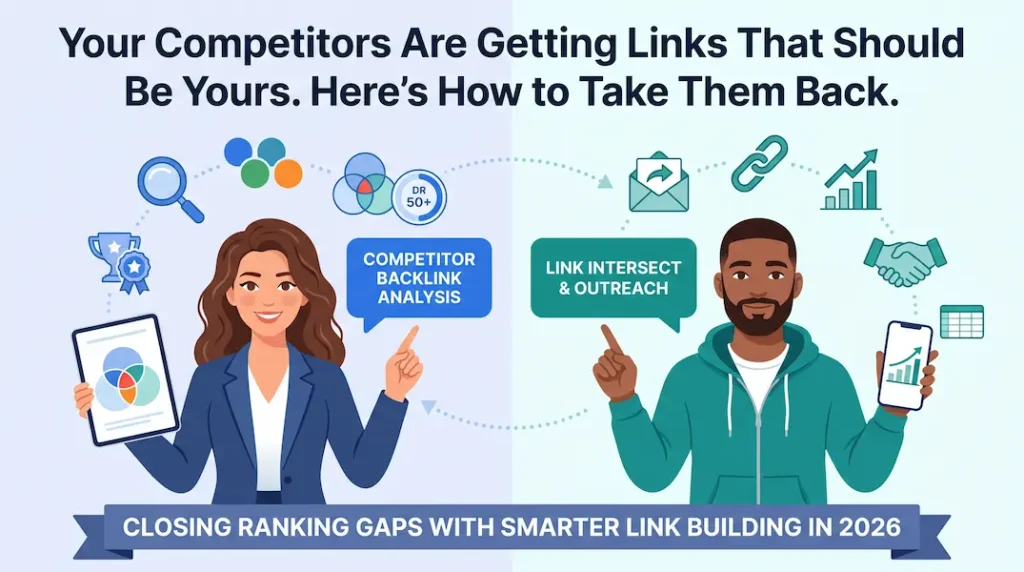
Your Competitors Are Stealing Links That Should Be Yours, Here’s How to Take Them Back
A backlink gap analysis is the process of finding websites that link to your competitors but not to you, and then going after those links. It’s the fastest way to build a targeted, high-quality list of link prospects without guessing. No random outreach. No spray-and-pray.
I’ve been doing this for over a decade and I’ll tell you the uncomfortable truth upfront: most sites don’t have a link-building problem. They have a prioritization problem. They’re pitching random sites instead of the ones already proven to link to their niche. This guide fixes that.
What is a backlink gap and why does it matter more than you think?
A backlink gap is the list of referring domains that link to one or more of your competitors but have never linked to your site.
Think of it like this. You and three competitors are all pitching for the same speaking slot at a conference. The conference has already said yes to them. You haven’t even sent an email. The backlink gap analysis is the list of conferences that keep saying yes to your competitors and the research that tells you how to get on the same stage.
According to Ahrefs’ study of over one billion pages, 91% of all web pages get zero organic traffic from Google, and the number-one reason is zero backlinks. Pages with zero external backlinks average a ranking position of 35 or worse. Pages with five or more quality backlinks average positions five to fifteen. The gap is real, it’s measurable, and a gap analysis is how you start closing it.
The position-one ranking page has 3.8x more backlinks than pages in positions two through ten combined (Backlinko analysis of 11.8 million search results). You don’t need to match that overnight. You need to start by closing the gap on the domains that are already in your space.
What you’ll need before starting:
- Access to Ahrefs, Semrush, or Moz (any one of these will do, all three have Link Intersect or Gap tools)
- A list of 3–5 organic competitors with similar DR to yours
- 2–3 hours for the initial analysis
- A spreadsheet for prospect tagging and outreach handoff
How do you find the right competitors to run a gap analysis against?
Use organic search competitors, not industry competitors, meaning sites that rank for the same keywords as you, regardless of whether they sell the same thing.
This is where most people make their first mistake. They enter their direct business competitors into the gap tool. Sometimes those overlap with organic competitors. Often they don’t.
Here’s how I actually do it:
- Go to Ahrefs Site Explorer → Competing Domains (or Semrush → Organic Research → Competitors tab)
- Filter by DR within ±15 of your own DR. Don’t chase DR 80 sites when you’re DR 30. Those links won’t come your way yet.
- Pick 3–5 competitors that rank for at least 30% of the same keyword universe as you
- Check their traffic, you want competitors with real organic traffic, not bought links or stale authority
Let me give you a real example. When I ran a gap analysis for a supplement e-commerce client, their first instinct was to enter their top-selling competitors’ brands with DR 70+. The gap report came back with Forbes, Healthline, and WebMD. Useful for aspiration. Useless for outreach.
When I filtered to organic competitors with DR within 20 points of their own DR 38, the list shifted to niche health blogs, fitness review sites, and sports nutrition roundups, the exact sites that were already linking in their category and had demonstrated they link to smaller brands. That’s your realistic prospect pool.
POV: Type your primary keyword into Google. The top five results that aren’t your own site are your organic competitors. Plug those URLs into Ahrefs’ Link Intersect or Semrush’s Backlink Gap tool right now. You have your first prospect list in under five minutes.
How do you run a Link Intersect and actually read the results?
Run the Link Intersect by entering your site plus 3–5 competitor URLs, then filter for domains that link to three or more competitors but not to you.
The Link Intersect tool shows you every referring domain that links to the sites you entered. The key column is the one that shows how many of your competitors each domain links to. That number is your signal.
Here’s why “3+ competitors” is the threshold I use:
| Competitor Links From Domain | What It Signals | My Priority |
|---|---|---|
| Links 4–5 of your competitors | This domain actively covers your niche and links freely | High, pursue first |
| Links 3 of your competitors | Strong niche relevance, likely to link again | Medium, include in batch |
| Links 1–2 of your competitors | Could be a one-off or topical misfit | Low, deprioritize unless DR is very high |
| Links only to 1 competitor | May be a personal relationship or paid placement | Investigate before outreach |
A domain that links to three or more of your direct competitors has already decided that sites in your category are worth linking to. You’re not convincing them to link to a new type of site. You’re just getting on a list they’re already maintaining.
How do I apply the DR ≥ 50 filter without cutting too deep?
Filter for DR ≥ 50 as your floor but keep DR 40–49 in a secondary list rather than discarding them entirely.
DR 50 is a reasonable proxy for a domain with enough authority to move your metrics. Ahrefs data consistently shows that links from DR 50+ domains have statistically stronger correlation with ranking improvements than links from DR under 30.
That said, DR is a proxy, not the final word. A DR 45 niche blog with 10,000 monthly visitors in your exact category will likely outperform a DR 55 general-interest site where your link would be surrounded by completely unrelated content.
After applying the DR filter, remove:
- Link farms and PBNs: look for sites with thousands of outbound links and almost no real content
- Foreign-language sites with no audience overlap to yours
- Irrelevant verticals, a finance site linking to your fitness competitor, probably linked for a money angle, not content relevance
- Sites that sell links: if every “resource” page on the site requires a payment, skip it
POV: In Ahrefs, after running the Link Intersect, apply DR ≥ 50 and then sort by “Intersect” (number of competitors linked to) descending. Export the top 50 rows. That’s your high-priority prospect list, ready for tagging.
How do you prioritize and prepare the prospect list for outreach?
Tag every prospect High, Medium, or Low based on three factors: number of competitor links, DR, and content relevance to your target page.
Once you have your filtered list, the next job is to make it actionable. A spreadsheet with 200 raw domains is not an outreach list. It’s a to-do pile. Here’s how I structure every gap analysis handoff:
How do I tag prospects as High, Medium, or Low priority?
High = links 3+ competitors AND DR ≥ 50 AND covers your topic directly. Medium = links 2+ competitors OR DR 40–49. Low = everything else worth keeping but not chasing first.
Use this scoring in your spreadsheet:
- High Priority: 3+ competitor links, DR ≥ 50, and topically relevant. Pursue in week one.
- Medium Priority: 2 competitor links OR DR 40–49 OR slightly adjacent topic. Pursue in wave two.
- Low Priority: 1 competitor link, DR 30–49, or tangentially relevant. Worth a templated email if volume allows.
How do I map each prospect to a specific target page?
For each prospect domain, identify the best-fit page on your site for the link, and ensure that the page exists and is link-worthy before reaching out.
This step gets skipped constantly. I’ve seen outreach teams send 300 emails asking for links without specifying which page, leaving the prospect to guess. The prospect won’t guess. They’ll delete the email.
For each High and Medium priority prospect, check:
- What page on their site links to your competitors, that context tells you the angle
- Which page on your site covers the same topic, that’s your target page
- Whether your page is actually good enough to earn a link if it isn’t, fix it before you pitch
How do I hand off to outreach with anchor text guidance?
Write the suggested anchor text as part of the prospect row not natural anchor text like “click here,” but descriptive, topically relevant text that matches how the linking page already describes your competitors.
Look at how the linking site anchored its links to your competitors. If they used “best creatine monohydrate guide” for a competitor, your anchor suggestion should follow the same pattern. Outreach teams that receive pre-researched anchor context convert at significantly higher rates.
According to LinkPanda’s analysis of 3,000+ backlink campaigns, one follow-up email boosts reply rates by 65.8% and the average outreach email gets only an 8.5% reply rate cold. Personalized, page-specific outreach with a clear anchor context consistently outperforms bulk templates.
What do most people get wrong about backlink gap analysis?
Most people run the gap analysis once, pitch the list, and never revisit it which means they miss every new domain that starts linking to competitors after the initial export.
A backlink gap analysis isn’t a one-time project. It’s a recurring process. Your competitors are earning new links every month. The gap is constantly widening while you’re busy doing something else.
Here’s something I saw first-hand with a real estate client. We ran a gap analysis in January, built outreach around the resulting list, and earned 14 new referring domains over three months solid results. Then we paused the process. By June, the same competitor had earned 22 new referring domains we hadn’t even looked at. Six months of new prospects, untouched.
I now set this process on a 60-day cycle for active clients:
- Re-run the Link Intersect with the same competitors
- Filter for new domains only, domains added since the last export
- Add to the rolling prospect sheet with date tags
- Deprioritize any domain that was pitched in the previous cycle with no response after two follow-ups
According to Semrush data, the average site gains 5-14.5% more referring domains per month, a healthy growth rate. If your competitors are at the high end of that range and you’re running a quarterly gap analysis, you’re always 90 days behind. Monthly or bi-monthly cadence closes that lag.
The other mistake I see constantly: treating every gap analysis domain as an outreach opportunity without checking if the site actually passes a manual quality check. Tools give you data. They don’t give you judgment. Before any email goes out, someone should spend 30 seconds on the site: is it real, is it active, does it look like a site that would naturally link to you? If the answer to any of those is no, remove it.
If you want a second set of eyes on your competitor set or your current prospect list, connect with me on LinkedIn, I’m happy to take a look.